
8 Best Windows 10 Books
The best Windows 10 books, ranked by how many expert sources recommend each one, with notes for beginners, visual learners, and users who need technical detail.
Our take
Windows 10 books range from illustrated introductions to substantial references for configuration and troubleshooting. A new computer user may need help recognizing the desktop, managing files, and using apps. Someone who already handles those tasks may want explanations of accounts, networking, backup, and recovery. Choose for that level rather than assuming the largest book will be the most helpful.
Windows 10 For Dummies offers a general beginner route, while Windows 10 For Seniors For Dummies uses a slower, more accessible presentation. Teach Yourself VISUALLY Windows 10 emphasizes pictured steps. For fuller explanations, try Windows 10: The Missing Manual, then consider Windows 10 Inside Out or Windows 10 In Depth for technical questions. These are references for an older operating system: standard support for Windows 10 Home and Pro ended in October 2025, and book editions may describe different updates. Start with a guide whose screenshots and depth fit the computer in front of you.
8 books · 6 sources · Last updated
As an Amazon Associate, we earn from qualifying purchases (at no extra cost to you).
How to choose from this list
Skip to the full rankingIf you're new to Windows 10: Windows 10 For Dummies
If you prefer slower illustrated steps: Windows 10 For Seniors For Dummies → Windows 10 Simplified
If you learn through screenshots: Teach Yourself VISUALLY Windows 10
If you want a broad home reference: Windows 10 All-in-One For Dummies
If you need configuration and troubleshooting: Windows 10 Inside Out → Windows 10 In Depth
The 8 books, ranked
Ranked by how many expert sources name each book. Ties go to the book more people recommend.
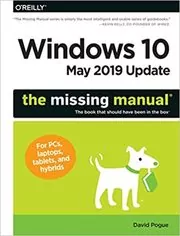
For readers who want detailed explanations as well as instructions. Pogue gives everyday Windows features more context than the shortest beginner guides, though the extensive coverage and update-specific details make selective reading more useful than a straight-through approach.
What it's about
David Pogue explains Windows 10's May 2019 update and the operating system's everyday tools. The guide covers the desktop, Start menu, file management, notifications, network sharing, installation, and keyboard shortcuts through detailed explanations.
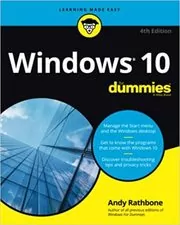
Windows 10 For Dummies
For beginners who want plain explanations of everyday tasks. Rathbone's approachable organization makes it easy to look up a problem without studying the whole system, though advanced configuration and troubleshooting receive less depth than the larger references.
What it's about
Andy Rathbone introduces everyday Windows 10 tasks for beginners, from navigating the desktop and Start menu to managing files, apps, and accounts. Practical instructions cover Internet use, customization, printing, and security, helping readers become more comfortable with routine computer work.
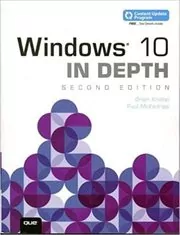
Windows 10 In Depth
For technically curious users who want to explore settings, networking, and troubleshooting. The substantial reference offers more depth than the visual introductions, though its earlier update coverage requires checking whether instructions still match your installation.
What it's about
Brian Knittel and Paul McFedries provide detailed guidance on configuring, using, and troubleshooting Windows 10. Topics include files, networking, customization, performance, command-line tools, virtualization, and the Windows Subsystem for Linux, with coverage reflecting the Fall Creators Update era.
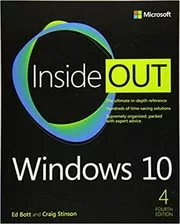
Windows 10 Inside Out
For experienced users and people supporting other computers. Its detailed treatment of configuration, recovery, and administration goes beyond the beginner guides, though it assumes technical confidence and reflects the features available when its edition was written.
What it's about
Ed Bott and Craig Stinson explain Windows 10 installation, configuration, administration, and troubleshooting. This edition covers security, updates, storage, backup, recovery, PowerShell, and newer features such as the Chromium-based Edge browser, providing detailed guidance for experienced users and IT professionals.
Windows 10 Simplified
For beginners who prefer short visual lessons to long explanations. McFedries makes common tasks approachable through illustrated steps, though this early Windows 10 guide's interface and bundled-app coverage may differ substantially from later installations.
What it's about
Paul McFedries introduces Windows 10 through illustrated lessons on the desktop, apps, files, online activities, and common settings. The guide organizes everyday tasks into manageable steps for readers who want to learn by following examples.
Teach Yourself VISUALLY Windows 10
For learners who understand a task best by seeing each click. The illustrated layout makes procedures easier to follow than dense prose, though screenshots can differ from your installation and explanations leave less room for underlying concepts.
What it's about
Paul McFedries explains Windows 10 tasks through illustrated, step-by-step instructions. The guide introduces the desktop and tablet interfaces, managing apps, connecting to networks, customizing settings, and using the operating system's everyday features.
Windows 10 All-in-One For Dummies
For home users who want a broad reference covering basics and more ambitious tasks. Its several-book format gathers many topics in one place, though the size can make it harder to find a simple starting path.
What it's about
Woody Leonhard and Ciprian Rusen guide readers through Windows 10's basic and advanced features. Topics include installation, personalization, apps, system controls, and security, with practical explanations and shortcuts for everyday computer use.
Windows 10 For Seniors For Dummies
For older newcomers who prefer a slower introduction. The large-print, illustrated steps make routine tasks easier to follow, though readers already comfortable with computers may find the pace and repeated explanations unnecessarily basic.
What it's about
Peter Weverka introduces Windows 10 through illustrated, step-by-step instructions designed for older newcomers to computing. Large-print explanations cover everyday use, online communication, games and media, and checking computer security and maintenance settings.
Sources
- 1
10 Best eBooks to Master Windows 10 - Hongkiat
hongkiat.com
- 2
10 best Windows 10 eBooks to guide you though the next chapter of Windows | TechRadar
techradar.com
- 3
100 Best Windows 10 Books of All Time (Updated for 2026)
shortform.com
- 4
Windows 10 Training Options | Puget Systems
pugetsystems.com
- 5
Is there a good Win11 manual, that includes the range of info from beginner to pro. : r/Windows11
reddit.com
- 6
Windows 10 Books
goodreads.com
Edited by
Software engineer whose passion for tracking book recommendations from podcasts inspired the creation of MRB.
Lead investor at 3one4 Capital whose startup expertise and love for books helped shape MRB and its growth.
Comments
Did we miss something? Have feedback?
Help us improve this page by sharing your thoughts