
David D. Busch Books in Order
Explore David D. Busch books in publication order, with short summaries and series lists to help you compare titles and choose your next book to read.
Last updated: 186 new books added
As an Amazon Associate, we earn from qualifying purchases (at no extra cost to you).
David D. Busch books in publication order
186 books
VIC-20
by David D. Busch
1983
Twenty BASIC programs demonstrate the graphics, sound, and other features of the unexpanded VIC-20. Games and practical home applications show readers how to work with custom characters, color, musical voices, and the computer’s real-time clock.
Blast off with BASIC games for your Commodore 64
by David D. Busch
1984
Twenty-five games provide a practical route into programming the Commodore 64. Arcade-style examples connect playable results with BASIC coding practice, giving readers programs to study while developing their understanding of how games work on the home computer.
Blast Off with BASIC Games for Your VIC-20
by David D. Busch
1984
Twenty-five game programs introduce BASIC programming on the VIC-20. Readers can run the games or adapt them, using practical examples to explore the computer’s capabilities while developing programming skills through play and experimentation.
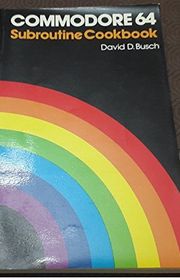
Commodore 64 Subroutine Cookbook
by David D. Busch
1984
Seventy reusable subroutines offer building blocks for Commodore 64 programs. Programming tips accompany routines for action and music, helping readers incorporate ready-made components into their own projects rather than constructing every function from the beginning.
Teach Your TRS-80 to Program Itself
by David D. Busch
1984
Busch presents utilities and reusable modules that reduce repetitive work when programming a TRS-80. Tools for editing, documentation, checking BASIC syntax, and generating program frameworks show readers how to automate parts of their own programming workflow.
Applesoft Subroutine Cookbook for the Apple II, II+, IIe & IIc
by David D. Busch
1985
IBM PC and PC Jr Subroutine Cookbook
by David D. Busch
1985
This cookbook supplies reusable BASIC subroutines for IBM PC and PCjr programs, with explanations of their variables and operation. Examples cover keyboard input, screen handling, timing, sound, and other tasks readers can incorporate into larger applications.
Keyboard Challenge with Commodore 64
by David D. Busch
1985
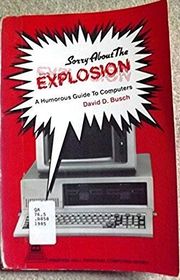
Sorry About The Explosion
by David D. Busch
1985
Busch gathers humorous accounts of a fictional computer company and its improbable products. Drawn from his Kitchen Table columns with additional material, the book satirizes the promises and absurdities surrounding the personal computer industry.
Secrets of MacPaint, MacWrite, and MacDraw
by David D. Busch
1986
Using DisplayWrite 4
by David D. Busch
1987
This introduction to DisplayWrite 4 follows the everyday work of preparing documents with the word processor. Creating, revising and printing text provide the main framework, helping users connect the software’s basic commands with the tasks required to produce finished documents.
Supercharging OS/2
by David D. Busch
1988
This guide explains OS/2 batch-file programming through a collection of practical utilities. Examples include file date stamping and backup tasks, with explanations of how the files work so readers can adapt automation techniques to their own routines.
Shareware Plus
by David D. Busch
1990
Program Your IBM PC to Program Itself
by David D. Busch
1991
A collection of plug-in programs helps IBM PC, PCjr and compatible owners automate parts of BASIC programming. Screen editors and menu-building tools turn designs into code, reducing repetitive typing when creating displays, instructions and other program components.
The Complete Scanner Toolkit
by David D. Busch
1991
Optical scanning becomes a practical part of Macintosh desktop publishing in this guide to equipment and applications. Advertising projects and other publishing uses connect the discussion, showing how scanned material can enter the workflow of producing documents and visual communications.
DR DOS Customizing Toolkit
by David D. Busch
1992
David D. Busch explores ways to customize DR DOS 6.0 for individual needs. Memory use, additional commands, batch files and disk utilities form a toolkit for improving everyday operation, with shareware options extending the system’s available capabilities.
The Complete Scanner Handbook for Desktop Publishing
by David D. Busch
1992
This handbook examines scanners and their role in desktop publishing, connecting equipment choices with the software used to process images. Evaluations of scanning systems provide a basis for understanding how different tools fit into a computer-based publishing workflow.
The Font Problem Solver
by David D. Busch
1992
Installing and using computer type involves more than choosing a font. This guide explains working with fonts across software and printers, including conversion and customization, helping readers handle compatibility problems while developing typography suited to their own documents.
The Hand Scanner Handbook
by David D. Busch
1992
Busch explains how handheld scanners work and compares the equipment and software available to personal computer users. Practical guidance focuses on choosing a scanner and using it effectively when bringing printed material into digital projects.
How to Get the Most Out of DOS 6 Utilities, and Beyond
by David D. Busch
1993
Experienced DOS users explore the new and expanded utilities in version 6. Memory management, disk performance, storage space and data protection connect the guide’s techniques, alongside startup configuration and advanced tools for adapting the system to everyday demands.
Power Windows
by David D. Busch
1993
Moving beyond basic Windows operation, this guide examines software selection and customization. Font problems, setup choices and shareware applications provide routes toward a more useful personal system, helping readers connect available tools with the way they actually work.
The Macintosh Conversion Guide
by David D. Busch
1993
The PC Conversion Guide
by David D. Busch
1993
Macintosh F/X
by David D. Busch
1994
Photographic retouching, composite images and visual distortion provide the foundation for this Macintosh graphics guide. Techniques connect image-editing software with practical effects, giving readers ways to alter existing pictures and combine material into new graphic compositions.
Outrageous PC F/X
by David D. Busch
1994
This PC graphics guide explores retouching, compositing and a variety of special effects. Morphing, perspective changes, lens flare and lighting techniques accompany color-separation work, connecting creative manipulation with the practical preparation of images for further use.
Outrageous Macintosh Filters
by David D. Busch
1995
Macintosh users explore how graphic filters change images through illustrated, step-by-step techniques. Three-dimensional surfaces and textures accompany comparisons of popular add-ons, helping readers understand both the effects they can create and the strengths and weaknesses of available tools.
Teach Yourself Photoshop 3.0 for the Mac
by David D. Busch
1995
A tutorial introduces Photoshop 3.0 tools through demonstrations, screenshots and chapter reviews. Examples connect image editing with video and multimedia work, providing beginners with a structured way to practice individual functions and understand their place in larger creative projects.
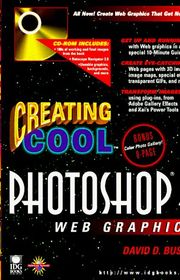
Creating Cool Photoshop 4 Web Graphics
by David D. Busch
1996
Photoshop 4 becomes a tool for producing practical web graphics in this guide to editing and special effects. Retouching, image maps, three-dimensional artwork and transparency accompany techniques for reducing loading times while preserving the quality of images displayed online.
Teach Yourself PageMaker 6.5 for Macintosh and Windows
by David D. Busch
1997
New PageMaker users follow an introductory tour before exploring layout tools for Macintosh, Windows and web work. Command references and charts support more detailed tasks, connecting an initial working overview with the functions needed to prepare and revise page designs.
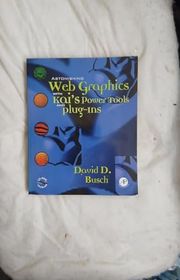
Astonishing Web Graphics With Kai's Powertools And Plug-Ins
by David D. Busch
1998
Kai’s PowerTools and Photoshop-compatible plug-ins provide the basis for creating web graphics with depth, texture and unusual surfaces. Step-by-step examples explore lettering, shadows, metallic finishes and other effects, connecting individual filters with the construction of more elaborate images.
Cascading Style Sheets Complete
by David D. Busch
1998
Cascading style sheets connect website programming with decisions about typography, color and space. This guide introduces the design principles behind page presentation while explaining how changing type sizes and styles can support a more deliberate visual identity online.
CorelDRAW One Step at a Time
by David D. Busch
1998
A preliminary tour introduces CorelDRAW before readers work through practical lessons for versions 5, 6 and 7. Templates and examples support learning the application, with attention to the needs of business communicators, independent users and graphics hobbyists.
Microsoft Works Suite 99 at a Glance
by David D. Busch
1998
Task-based illustrated explanations introduce the shared elements and applications of Microsoft Works Suite 99. Word processing, personal finance, reference tools, greetings and internet software provide the setting for learning how to complete everyday work across the bundled programs.
Painting Amazing Web Images with MetaCreations Painter
by David D. Busch
1998
Painter 5 provides the tools for producing images suited to the web. Colorful examples, practical techniques and reusable graphic materials guide readers through creative possibilities, connecting the application’s painting capabilities with the preparation of backgrounds, buttons and other online artwork.
Hewlett-Packard Official Scanner Handbook
by David D. Busch
1999
Choosing a scanner leads into resolution, color calibration, text recognition and image editing in this practical handbook. Home and business projects accompany troubleshooting advice, connecting the technical settings behind a scan with documents, artwork and printed objects readers can create.
Microsoft Publisher 2000 at a Glance
by David D. Busch
1999
Visual explanations address common tasks and everyday problems in Microsoft Publisher 2000. Organized for quick consultation, the guide connects individual software functions with desktop and web publishing work, helping readers locate the steps needed to keep a project moving.
Digital Photography for Dummies Quick Reference
by David D. Busch
2000
Beginning digital photographers explore equipment choices and the steps involved in making and using pictures. Camera operation, composition, image editing, printing and email provide the framework for a quick reference connecting the photograph with its eventual destination.
Guerrilla Guide to Great Graphics With the Gimp
by David D. Busch
2000
GIMP users explore creative image editing through techniques intended for beginners and experienced designers. Practical tips connect advanced features with the transformation of ordinary pictures, while readers without design training learn ways to create and adapt graphics for different uses.
Mastering StarOffice 5.2 for Linux
by David D. Busch
2000
This guide surveys the applications in StarOffice 5.2, moving from everyday documents to customization and automation. Letters, memos and recorded macros connect the suite’s individual tools, with StarBasic providing a route toward adapting repeated tasks to a user’s needs.
PowerPoint 2000
by David D. Busch
2000
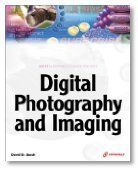
Digital Photography and Imaging
by David D. Busch
2001
David Busch explains how digital cameras and scanners work together to create and share images. The guide covers editing photographs, building slide shows, preparing images for the web, and choosing ways to display or print finished work.
Hewlett-Packard Official Digital Photography Handbook
by David D. Busch
2001
This digital photography handbook combines advice on composition and lighting with image editing and printing techniques. Aimed at readers with some experience, it discusses equipment from Hewlett-Packard and other manufacturers and ways to improve finished photographs.
Photoshop 6! I Didn't Know You Could Do That
by David D. Busch
2001
A practical guide to Photoshop 6 explores ways to customize the program and create photographic effects. Examples cover retouching, combining images, correcting color, developing three-dimensional effects, and preparing files for display on the web.
Photoshop 7 All-in-One Desk Reference For Dummies
by David D. Busch
2002
This Photoshop 7 reference covers everyday editing tasks alongside more advanced compositing techniques. Its ten instructional sections explain resizing, color correction, masks, filters, vector shapes, and preparing pictures for the web, supported by illustrated examples.
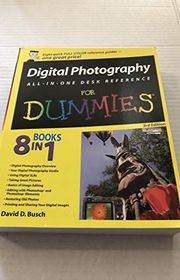
Digital Photography All-in-One Desk Reference For Dummies
by David D. Busch
2003
Eight instructional sections introduce the digital photography process from choosing equipment to sharing finished pictures. Topics include composition, image editing, organizing photographs, scanning and restoring older prints, and preparing images for printing or online display.
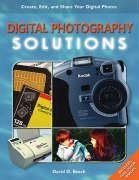
Digital Photography Solutions
by David D. Busch
2003
This introductory guide follows digital photography from taking pictures to preparing finished images for use. It addresses everyday projects such as sharing family photographs electronically and producing product catalogs, without assuming professional photography or graphics experience.
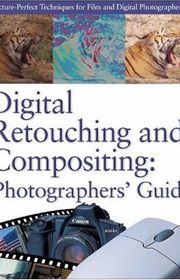
Digital Retouching And Compositing Photographer's Guide
by David D. Busch
2003
Written for photographers, this guide develops editing skills from selections and tonal adjustments to portrait retouching and complex composites. Short explanations and practical steps show how individual tools can solve common problems and change a photograph’s appearance.
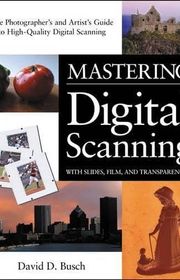
Mastering Digital Scanning with Slides, Film, and Transparencies
by David D. Busch
2003
This guide explains how photographers can bring film images into a digital workflow. It covers scanner settings, digitizing slides and transparencies, managing the resulting files, and enhancing scanned pictures while retaining the benefits of conventional photography.
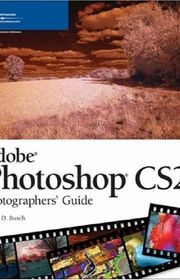
Adobe Photoshop CS 2.0
by David D. Busch
2004
Busch approaches Photoshop CS 2.0 through the needs of photographers, pairing editing techniques with photographic examples. The guide explains how traditional and newer photographic effects can be reproduced or enhanced using the software’s tools.
Adobe Photoshop Elements 3.0
by David D. Busch
2004
This guide examines Photoshop Elements 3.0 from a photographer’s perspective, distinguishing effects best created in the camera from those suited to editing. Illustrated examples introduce tools and techniques for enhancing pictures without requiring advanced expertise.
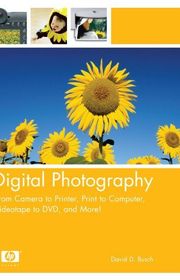
Digital Photography
by David D. Busch
2004
This guide addresses digital imaging tasks across cameras, computers, printers, and video equipment. Busch discusses selecting and optimizing hardware, improving video capture, transferring footage from analog sources, editing material, and moving older recordings into digital formats.
Digital Photos, Movies, & Music Gigabook for Dummies
by David D. Busch
2004
This reference brings together guidance on digital photography, home video, music, and disc recording. It covers choosing equipment, capturing and editing pictures and footage, sharing media, managing music libraries, and creating CDs and DVDs.
Digital SLR Cameras & Photography for Dummies
by David D. Busch
2004
Busch introduces digital SLR equipment and the techniques needed to use it effectively. The guide covers camera and lens choices, exposure, focus, lighting, composition, image editing, and printing, with examples showing how settings affect photographs.
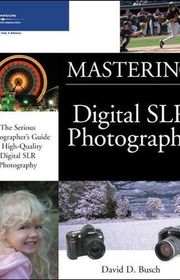
Mastering Digital SLR Photography
by David D. Busch
2004
A guide to creative digital SLR photography explores the opportunities and limitations of these cameras. Busch applies their features to portraits, close-ups, and travel images, while also discussing ways to store photographs away from a computer.
The eBay Myth-Bu$ter
by David D. Busch
2004
David Busch examines common assumptions about buying and selling on eBay and offers alternative approaches. Topics include finding overlooked auctions, understanding bidding and pricing, evaluating shipping offers, and identifying items with potential resale value.
Digital SLR Pro Secrets
by David D. Busch
2005
For photographers ready to move beyond basic camera operation, this guide explores advanced digital SLR techniques. Practical projects and illustrated explanations connect camera features with computer-based imaging methods to help readers develop more creative photographs.
Canon EOS 30D Guide to Digital SLR Photography
by David D. Busch
2006
This Canon EOS 30D guide explains camera controls and how to use them in photographic situations. Busch covers file formats, resolution, exposure, autofocus, lens settings, flash synchronization, and the steps involved in downloading and editing pictures.
Canon EOS Digital Rebel XT Guide to Digital SLR Photography
by David D. Busch
2006
This introduction to the Canon EOS Digital Rebel XT explains what its controls do and why particular settings matter. Topics include focus zones, zoom choices, and exposure modes, connecting basic camera operation with practical photographic decisions.
Digital Travel Photography Digital Field Guide
by David D. Busch
2006
Busch explains how to plan and make digital photographs while traveling. Advice covers packing equipment, composing pictures, working with limited light, photographing people and scenery, and editing or sharing images before returning home.
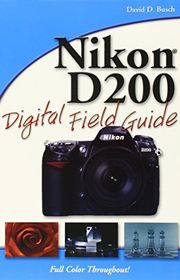
Nikon D200 Digital Field Guide
by David D. Busch
2006
A portable guide to the Nikon D200 explains shooting modes, autofocus, white balance, flash, and NEF processing. Illustrated examples connect camera settings with common photographic situations and discuss lens choices, noise reduction, and available light.
Quick Snap Guide to Digital Photography
by David D. Busch
2006
This introductory guide explains the essential decisions behind digital camera settings without focusing on a particular brand. Illustrated two-page lessons give new owners concise instructions for the fundamentals needed to start making and improving photographs.
Quick Snap Guide to Digital SLR Photography
by David D. Busch
2006
Designed for new digital SLR owners, this guide introduces the features and techniques shared across camera brands. Short illustrated lessons cover essential operations, helping readers understand the particular advantages of digital SLR photography and begin using their equipment.
Adobe Photoshop CS3
by David D. Busch
2007
A beginner’s guide to Photoshop CS3 introduces image editing through photographic examples and step-by-step instruction. Busch covers retouching, correcting color, manipulating images, and creating special effects, explaining how the software’s tools support different visual results.
Canon EOS 40D Guide to Digital Photography
by David D. Busch
2007
This Canon EOS 40D guide connects its controls and custom settings with practical shooting choices. Topics include Live View, autofocus, continuous shooting, lenses, exposure, flash synchronization, and ways to select settings for different subjects.
Canon EOS Digital Rebel XTi/400D Guide to Digital SLR Photography
by David D. Busch
2007
Busch introduces the Canon EOS Digital Rebel XTi/400D through its controls, menus, and shooting features. Examples explain choosing exposure and autofocus settings, using lenses and flash, editing photographs, and maintaining the camera and its accessories.
Digital Infrared Pro Secrets
by David D. Busch
2007
This hands-on guide explores infrared photography with compact cameras and digital SLRs. Busch explains camera conversion, homemade filters, exposure choices, and applications ranging from portraits and flowers to travel and sports, supported by illustrated tutorials.
Nikon D40/D40x Digital Field Guide
by David D. Busch
2007
This Nikon D40 and D40x guide explains essential controls alongside the photographic reasons for changing settings. It covers exposure, autofocus, white balance, lenses, lighting, and composition, with practical examples for subjects including portraits, sports, and travel.
Nikon D80 Digital Field Guide
by David D. Busch
2007
A portable guide to the Nikon D80 explains its buttons, dials, and menus through illustrated examples. Busch reviews exposure, lighting, composition, and lenses, then supplies suggested settings for particular subjects and advice on downloading and editing pictures.
Quick Snap Guide to Using Digital SLR Lenses
by David D. Busch
2007
Busch introduces interchangeable digital SLR lenses and explains when to use them. The guide covers focal lengths, focus controls, stabilization, apertures, filters, and accessories, with illustrated lessons on telephoto, wide-angle, and macro photography.
Sony Alpha DSLR-A100 Digital Field Guide
by David D. Busch
2007
This Sony Alpha DSLR-A100 guide introduces camera controls and connects them with exposure, lighting, and lens choices. Illustrated examples address challenging subjects and techniques such as panoramas, close-ups, fill flash, infrared photography, and troubleshooting.
Nikon Professional DSLR Pro Secrets
by David D. Busch
2008
For Nikon digital SLR users who know the basics, Busch explores advanced applications of camera controls. Examples cover sports, portraits, architecture, landscapes, and close-ups, alongside file formats, resolution, exposure modes, and autofocus options.
Pentax K200D Guide to Digital SLR Photography
by David D. Busch
2008
This Pentax K200D guide starts with camera controls before exploring practical uses of exposure, focus, and flash settings. Illustrated examples and equipment advice help readers choose lenses, accessories, and software for different photographic purposes.
Quick Snap Guide to Adobe Photoshop.com
by David D. Busch
2008
This guide introduces Adobe’s online photography service for editing, organizing, and sharing images. Short illustrated lessons cover opening an account, uploading pictures, creating albums, adjusting color and tone, cropping photographs, and adding creative enhancements.
Quick Snap Guide to Lighting
by David D. Busch
2008
Busch explains how to shape available and artificial light to improve photographs. Concise illustrated lessons cover diffusion, reflectors, filters, exposure, multiple light sources, and approaches suited to action, travel, architecture, and other shooting situations.
Digital Photography Bucket List
by David D. Busch
2009
A collection of one hundred photographs provides starting points for new photographic projects. Each illustrated spread explains how an image was made and offers guidance for comparable situations, encouraging readers to expand their skills and subject choices.
Quick Snap Guide to Photo Gear
by David D. Busch
2009
This guide explains photography accessories and how to choose equipment suited to different needs. Short illustrated sections cover items including tripods, bags, filters, flashes, and memory cards, connecting each tool with its practical photographic uses.
Quick Snap Guide to Photoblogging with WordPress
by David D. Busch
2009
Busch and Rebekkah Hilgraves introduce creating a photography blog with WordPress. Illustrated lessons guide readers through account setup, building a site, uploading and sharing pictures, and using blogging tools to present personal photographs or market professional work.
Sony Alpha DSLR-A380/A330/A230 Guide to Digital SLR Photography
by David D. Busch
2009
This guide explains the Sony Alpha DSLR-A380, A330, and A230 controls and photographic capabilities. Introductory chapters establish camera basics before illustrated shooting examples explore settings, Live View, dust removal, and techniques for different situations.
Canon EOS 5D Mark III Guide to Digital SLR Photography
by David D. Busch
2012
Busch explains how to use the Canon EOS 5D Mark III for still photographs and high-definition movies. Illustrated instruction covers controls, exposure, autofocus, lenses, flash, file formats, and maintenance, linking technical settings with practical shooting decisions.
Canon EOS Rebel T4i/650D Guide to Digital SLR Photography
by David D. Busch
2012
This Canon EOS Rebel T4i/650D guide moves from initial setup to advanced photographic applications. Illustrated explanations cover exposure, autofocus, lenses, lighting, wireless flash, and the touchscreen, showing how individual features apply to different shooting situations.
Canon Powershot G15 Guide to Digital Photography
by David D. Busch
2012
This Canon PowerShot G15 guide introduces the camera’s controls before exploring exposure, resolution, and file formats. Illustrated examples connect its functions and scene modes with practical decisions for making photographs and recording movies.
Compact Field Guide for the Canon EOS Rebel T4i/650D
by David D. Busch
2012
A portable reference for the Canon EOS Rebel T4i/650D explains settings and when to use them. Tables offer suggested combinations for landscapes, portraits, sports, close-ups, and travel, making camera adjustments easier to consult while shooting.
Compact Field Guide for the Nikon D4/D4s
by David D. Busch
2012
A compact reference for Nikon D4 and D4S users explains camera options and practical reasons for adjusting them. Tables recommend settings for landscapes, portraits, sports, close-ups, and travel, providing guidance designed for use during shoots.
Compact Field Guide for the Nikon D800/D800E
by David D. Busch
2012
This portable Nikon D800/D800E guide organizes camera operation into checklists, tables, and illustrated explanations. It covers setup, features, lighting, and lenses, with practical recommendations for making photographs under different conditions while working in the field.
Compact Field Guide for the Nikon D3200
by David D. Busch
2012
This compact Nikon D3200 reference lists camera settings and explains the reasons for choosing different adjustments. Its tables recommend settings for common situations such as landscapes, portraits, sports, close-ups, and travel, supporting photographers working away from home.
Compact Field Guide for the Sony Alpha SLT-A57/A37
by David D. Busch
2012
This compact Sony Alpha SLT-A57/A37 reference explains camera settings and when to choose each option. Tables provide recommended adjustments for landscapes, portraits, sports, close-ups, and travel, offering photographers a portable resource to consult while shooting.
DSLR Movie Shooting Compact Field Guide
by David D. Busch
2012
Busch and Rob Sheppard explain shooting video with digital SLR cameras through a portable reference. Topics include movie controls, file formats, resolution, exposure, focusing, frame rates, storyboards, lighting, and sound, with illustrated examples across camera brands.
Flash Photography Compact Field Guide
by David D. Busch
2012
A portable reference explains how to work with built-in and external electronic flash. Illustrated examples connect camera and lighting settings with visible results, covering metering, accessories and practical adjustments for photographing different subjects under changing conditions.
Nikon D4/D4s Guide to Digital SLR Photography
by David D. Busch
2012
This illustrated guide connects the Nikon D4 and D4s controls with practical photographic decisions. From initial setup to exposure, lenses, lighting and video, it explains how to adapt the cameras’ options to specific subjects and demanding shooting situations.
Nikon D800/D800E Guide to Digital SLR Photography
by David D. Busch
2012
Photographers learn how the Nikon D800 and D800E settings affect their images through illustrated instructions and practical examples. Coverage moves from first setup into exposure, lenses, lighting and video, connecting technical choices with real photographic situations.
Nikon J1 Guide to Digital Movie Making and Still Photography
by David D. Busch
2012
An illustrated introduction to the Nikon J1 explains its controls and the decisions behind still photographs and movies. Readers progress from basic operation to exposure, image formats and creative uses of the camera’s distinctive shooting features.
Nikon V1 Guide to Digital Movie and Still Photography
by David D. Busch
2012
This Nikon V1 guide combines a visual tour of the camera with explanations of still-image and movie settings. It helps readers move beyond automatic operation by connecting exposure, resolution and recording choices with their intended photographic results.
Olympus Om-D E-M5 Guide to Digital Photography
by David D. Busch
2012
A practical companion to the Olympus OM-D E-M5 introduces the camera’s controls, customization and interchangeable-lens system. The guide helps photographers understand its stabilization, touchscreen and other capabilities while relating the equipment to the task of making photographs.
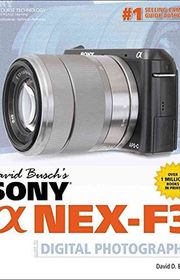
Sony Alpha NEX-F3 Guide to Digital Photography
by David D. Busch
2012
This guide introduces the Sony NEX-F3 through clear instructions and illustrated explanations of its controls. Starting with basic handling, it develops an understanding of exposure, file choices and movie recording so photographers can make more deliberate creative decisions.
Sony SLT-A37 Guide to Digital Photography
by David D. Busch
2012
A visual guide to the Sony SLT-A37 explains camera setup, exposure, lenses and lighting alongside its video capabilities. Practical instructions connect individual controls with photographic situations, helping readers understand how settings influence the images they produce.
Canon EOS 6D Guide to Digital SLR Photography
by David D. Busch
2013
A visual introduction to the Canon EOS 6D explains its controls and their practical uses for photographs and movies. Readers progress from basic handling to exposure, resolution and file choices, learning how individual settings support different creative goals.
Canon EOS M Guide to Digital Photography
by David D. Busch
2013
Photographers explore the Canon EOS M through a visual guide to controls and practical shooting choices. Exposure, autofocus, lenses, flash and video receive attention, alongside troubleshooting advice designed to support a more confident understanding of the camera’s operation.
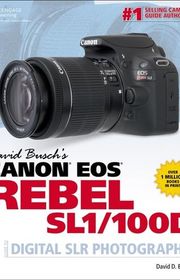
Canon EOS Rebel SL1/100D Guide to Digital SLR Photography
by David D. Busch
2013
An illustrated guide to the Canon Rebel SL1/100D explains the camera from initial setup through more advanced photographic choices. It connects autofocus, exposure and flash settings with actual shooting conditions, while also covering video and routine troubleshooting.
Canon EOS Rebel T5i/700D Guide to Digital SLR Photography
by David D. Busch
2013
This Canon Rebel T5i/700D reference combines a visual control map with practical instructions for making photographs. Setup, exposure, lens choice and lighting are explained in context, helping readers move from basic operation toward more intentional use of the camera.
Compact Field Guide for the Canon EOS 5D Mark III
by David D. Busch
2013
A compact reference organizes Canon EOS 5D Mark III operation into practical chapters, checklists and tables. Illustrated examples show how settings affect results, with advice on setup, lighting and lenses designed for consultation while photographing in changing conditions.
Standalone David D. Busch books










by David D. Busch
1992How to Install and Use Type with Your Software and Printer













by David D. Busch
2004From Camera to Printer, Print to Computer, Videotape to DVD, and More!











Digital Photography Bucket List
by David D. Busch
2009100 Great Digital Photos You Must Take Before You Die



























Edited by
Software engineer whose passion for tracking book recommendations from podcasts inspired the creation of MRB.
Lead investor at 3one4 Capital whose startup expertise and love for books helped shape MRB and its growth.
Comments
Spotted a missing book, a wrong order or a mistake? Tell us and we'll fix this page.
We're a reading guide, not the author or publisher, so we can't send books or pass on messages.